'My account' shows your subscription, balance, and billing information in one place. It is available only to users with the Owner role.
You can open 'My account' from the dropdown menu in the top-right corner of the app or at https://my.channels.app/my-account/.
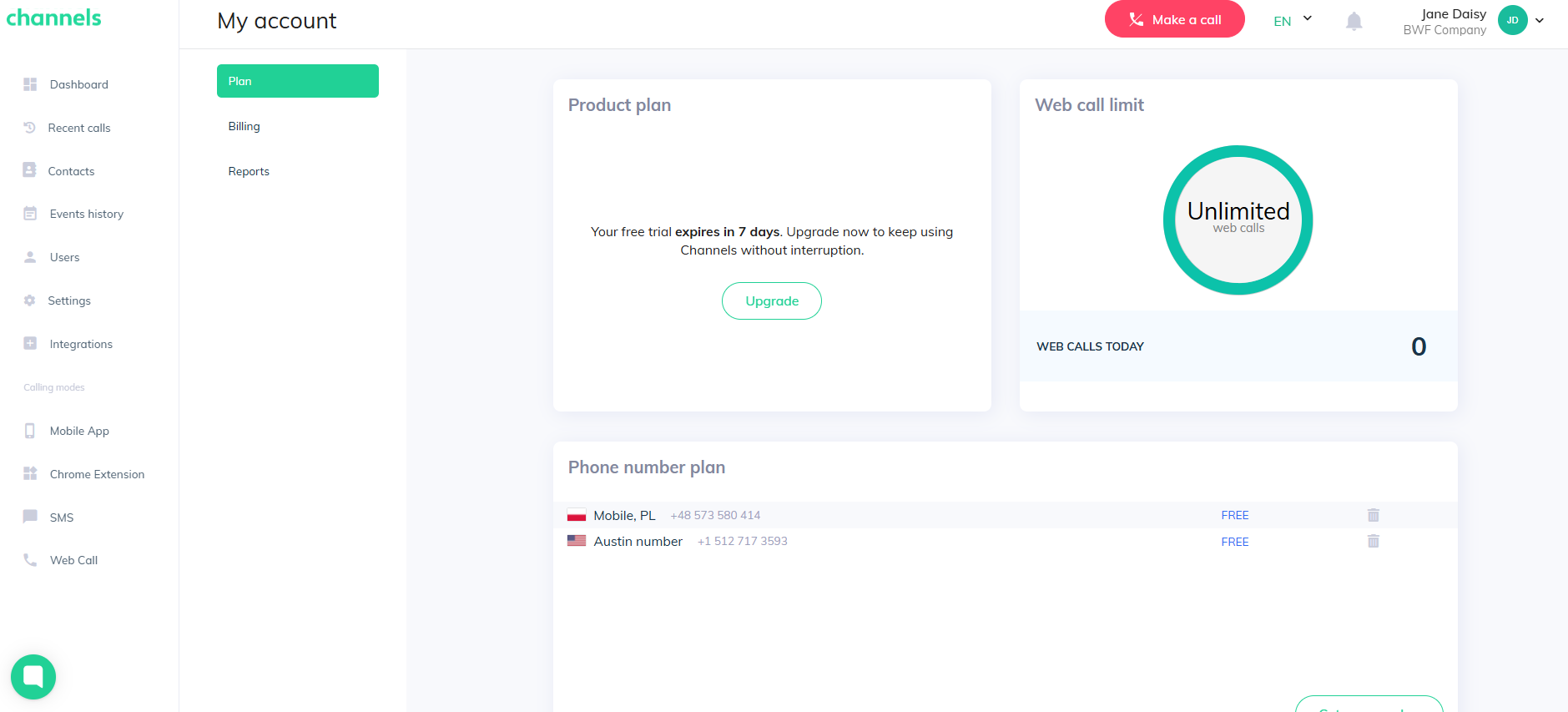
Here’s what you’ll see when you open ‘My account’ section:
Here you can view your current subscription details, including the number of users with active access.
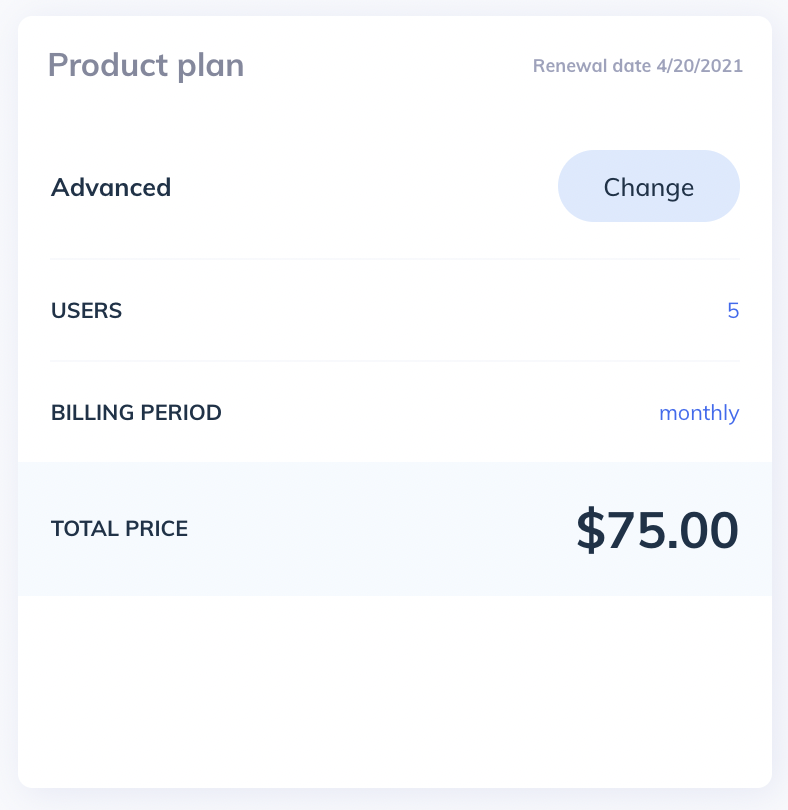
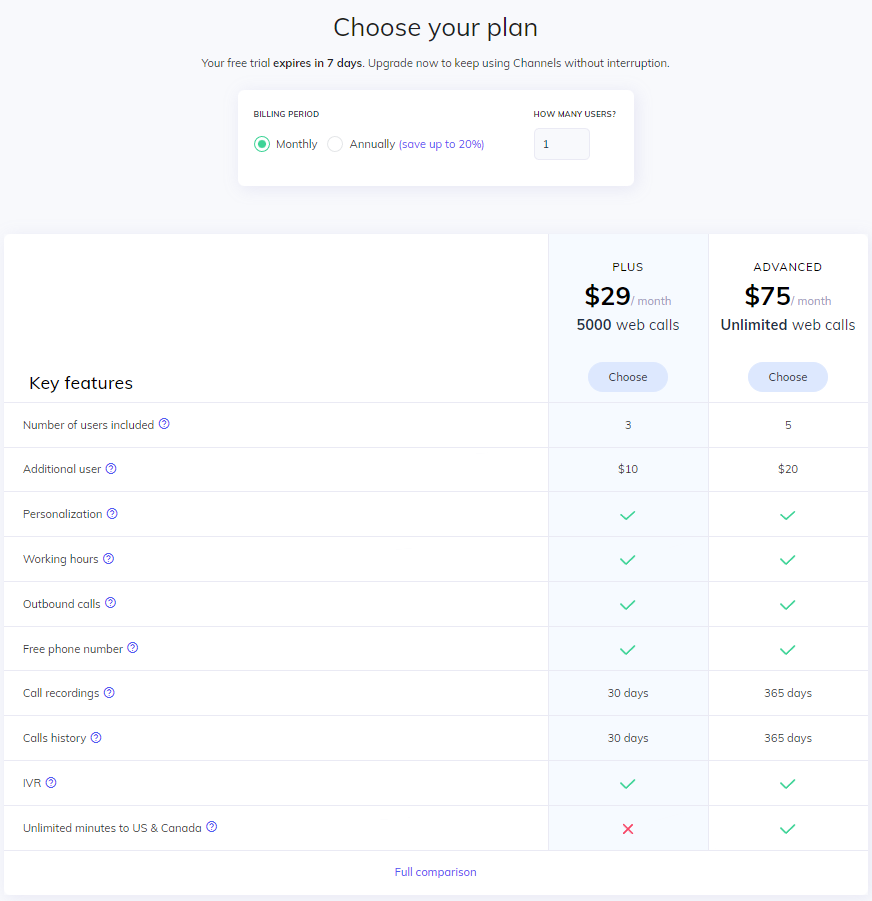
You can upgrade or downgrade your plan or number of users at any given time of your billing cycle - simply click on the ‘Change’ button!
Please note that if you decide to downgrade your plan, the difference in price will be returned with the next payment, by subtracting from your next subscription fee.
If you're using our free trial, you'll see an "Upgrade" button here. Click it to choose a plan. No need to rush — use the trial days counter to see how much time you have left to try the features.
Phone numbers
This section shows all phone numbers on your account. For paid numbers, you’ll see the monthly price and can detach them from your account. Free phone numbers cannot be detached.
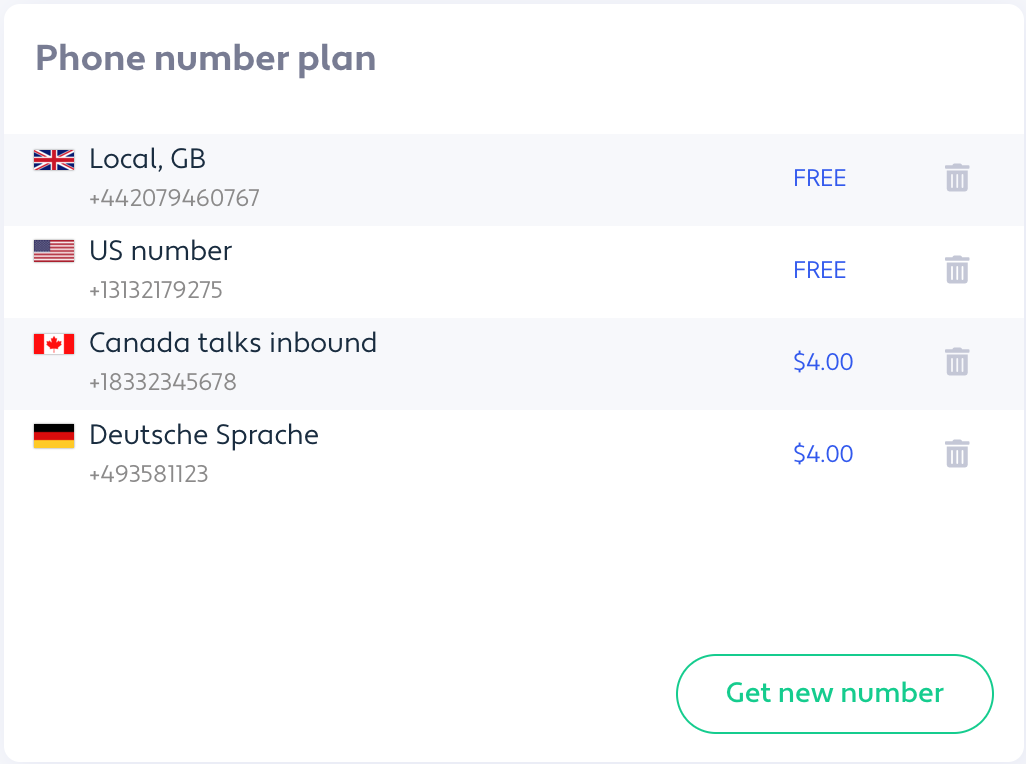
Please note that this section is only available for accounts with a paid plan!
This section lets you check your current funds, add more money to your account as well as set an email notification whenever your balance drops below the set amount.
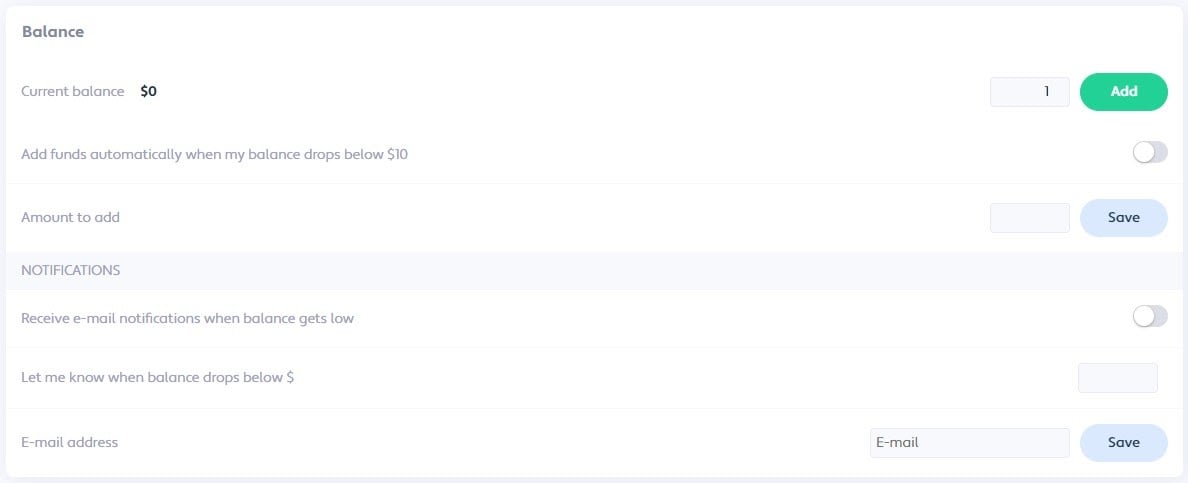
To add funds, enter the amount you want and click "Add." Your card will be charged automatically.
To avoid running out of money, turn on "Add funds automatically when my balance drops below $10." Enter the amount to add and click "Save." You can change or turn this off later.
You can also get email alerts when your balance falls below a set amount. Turn on the email toggle, enter your email and the threshold amount to receive notifications.
You can always change your card details. Card provided in this section will be the one used for all of the transactions.

